AI Shopping Assistant
As Novi Box's design intern, I designed an AI assistant that turns gift-hunting into a swipe and keeps checkout inside the chat. In testing across 100+ hi-fi screens, it lifted add-to-favorites 35% and purchase intent 15%.
- Date
- Feb – May 2024 · 3 months
- Team
- Product Designer Intern (Yuchen), PM, SWEs, Marketing
- Deliverables
- Hi-fi Prototypes
- Tools
- Figma
Overview
Before jumping into the more detailed design process, a quick walk-through from project goal to final hi-fi prototypes.
Problem
NoviBox's research has revealed that most users spend a considerable amount of time browsing and selecting gifts.
Project Goal
NoviBox introduces an AI shopping assistant across gift selection, purchase, and post-sale. Personalized, data-driven recommendations cut decision time and smooth the path to checkout.
AIDA Marketing Model
Enhancing Conversion Rates
 AI Chatbot
Design Process
Research
- Desk Research
- Competitive Analyze
- Survey
Define
- Chatbot Design Principles
- Core Product Functionalities
Design
- User Flow
- V1 Prototype
Test
- Path Analysis
- Opinion Scale
- Open Question
- Multiple Choice
Iterate
- Final Prototype
Challenges
Balancing a fully covered purchasing journey with carefully designed, context-specific conversations.
Allowing users to revisit or modify previous conversation steps while ensuring a smooth and structured path to the final purchase decision.
Providing preset quick input options for efficiency while allowing free text input for personalized user interactions.
Design Solutions
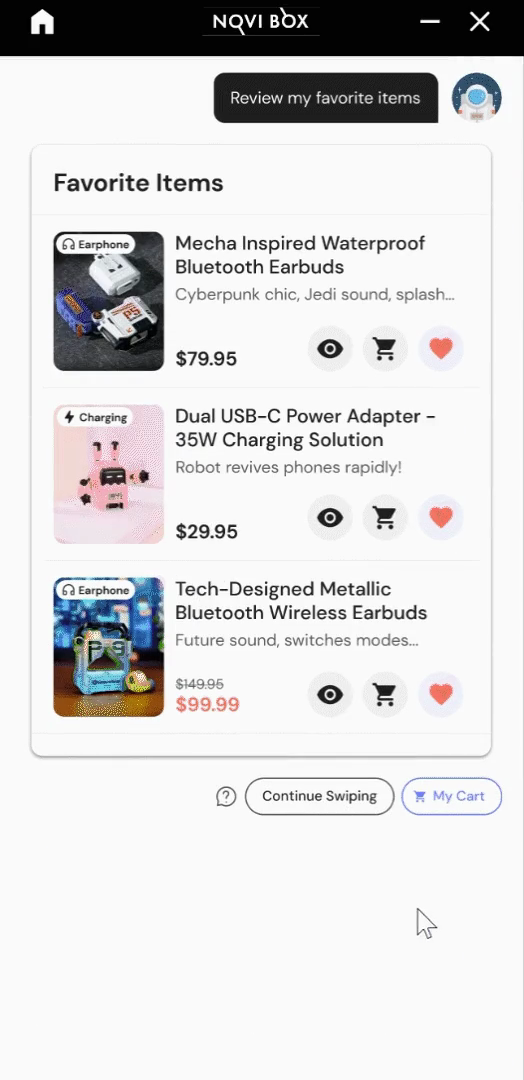
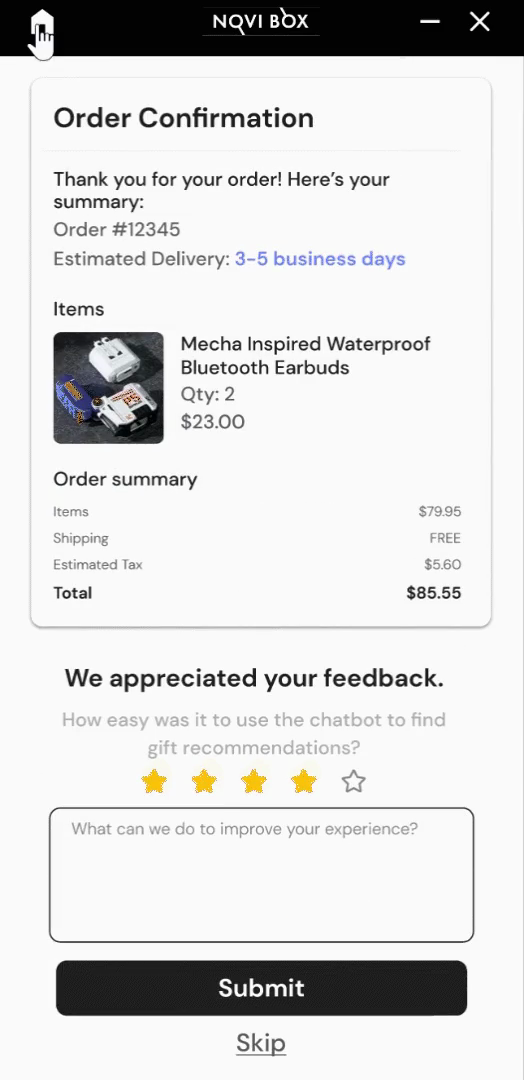
The assistant carries two flows end to end. Each clip autoplays as you read; tap a step to replay just that part.
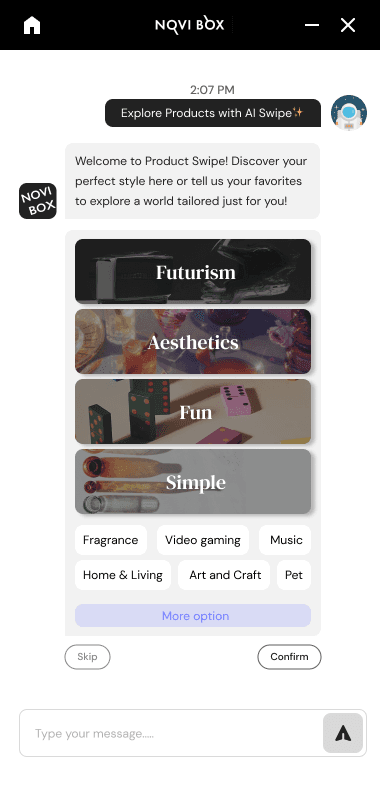
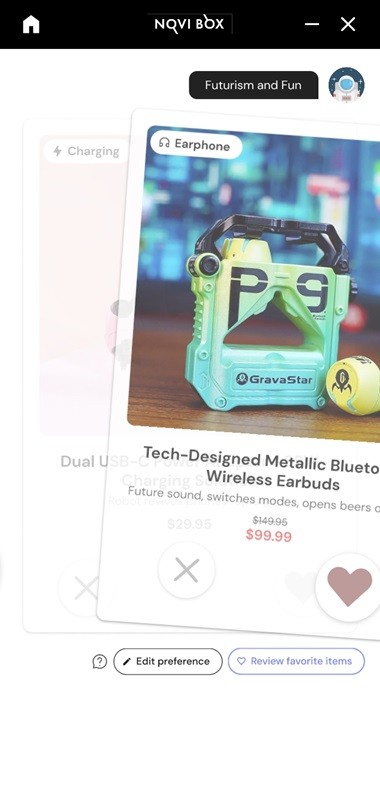
Explore Products with AI Swipe
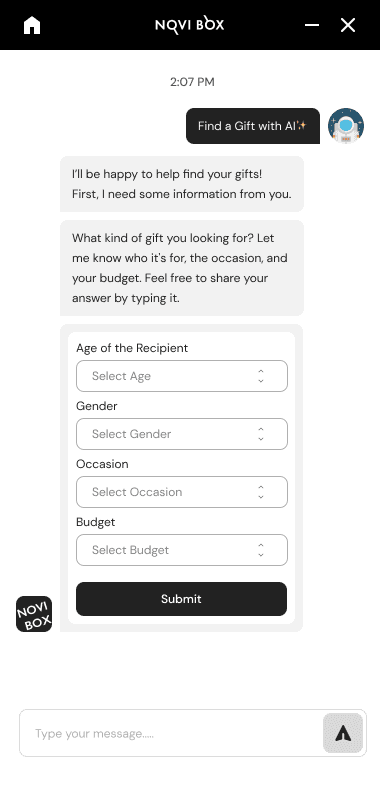
Find a Gift with AI
Impact
Research
Through desk research, surveys, and competitive analysis, derive the design principles, user expectations, and product features of the AI chatbot.
Desk Research
From 90+ Chatbot/Conversational AI Statistics in 2023.
How they would rate their experiences with intelligent assistant or chatbot technology.
Competitive Analysis
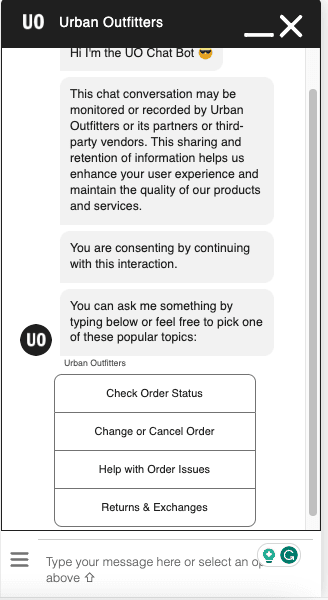
UO
Handles common inquiries like returns, exchanges, and orders.
Strength
Clean, straightforward interface.
Weakness
Few preset flows, little real AI interaction.
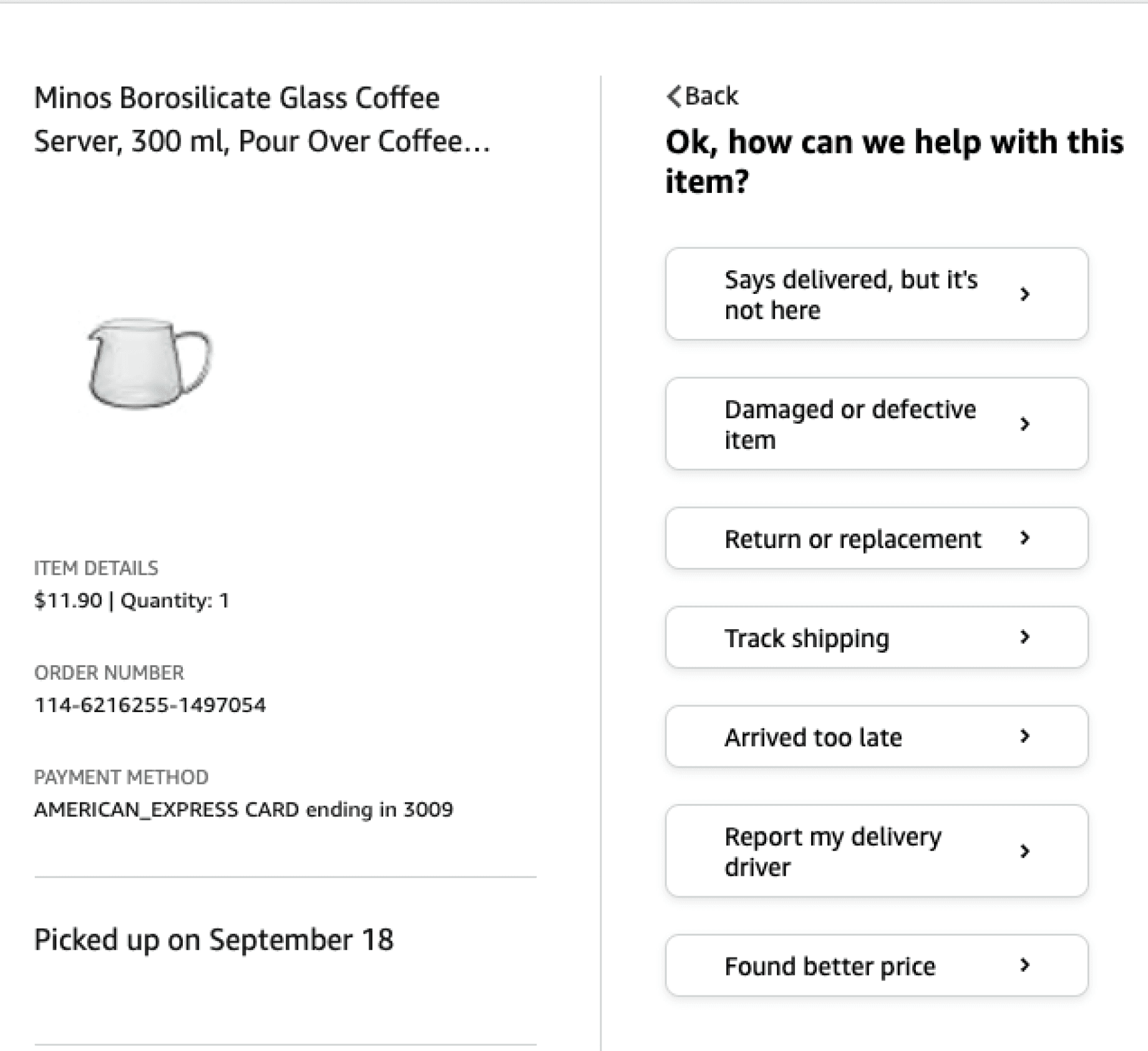
Amazon
Guides selection and navigation across most after-sales issues, no typing needed.
Strength
Clear, well-structured after-sales UI.
Weakness
No purchase recommendations.
Bing
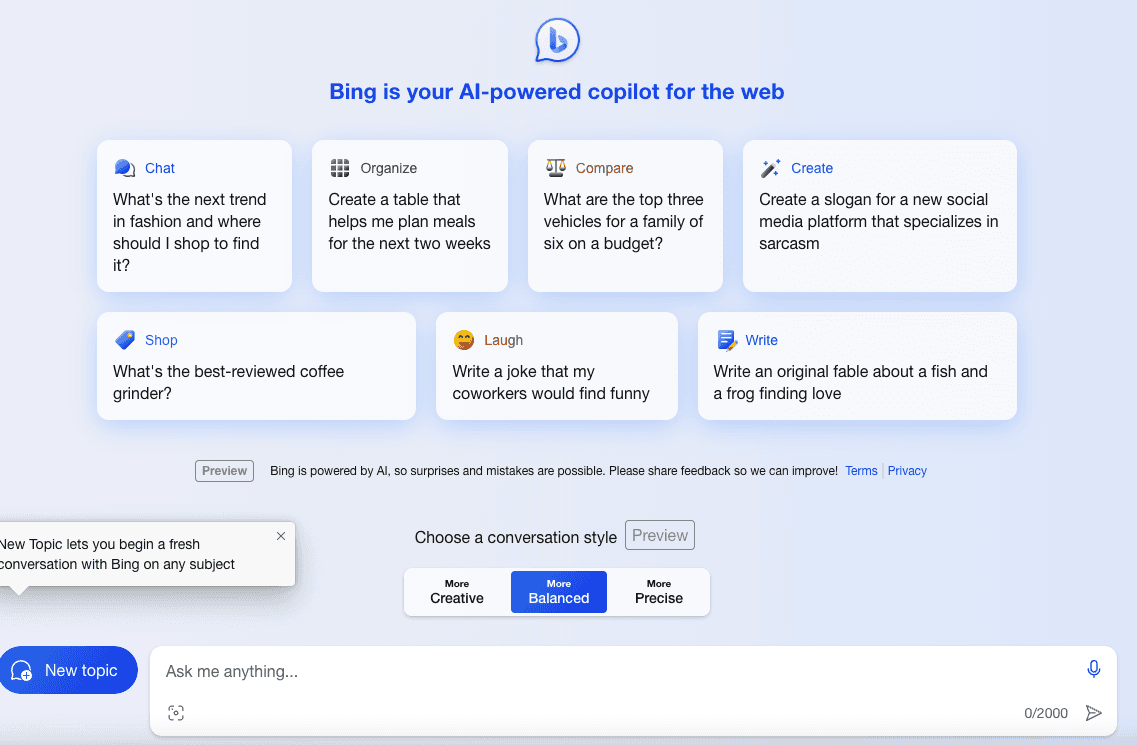
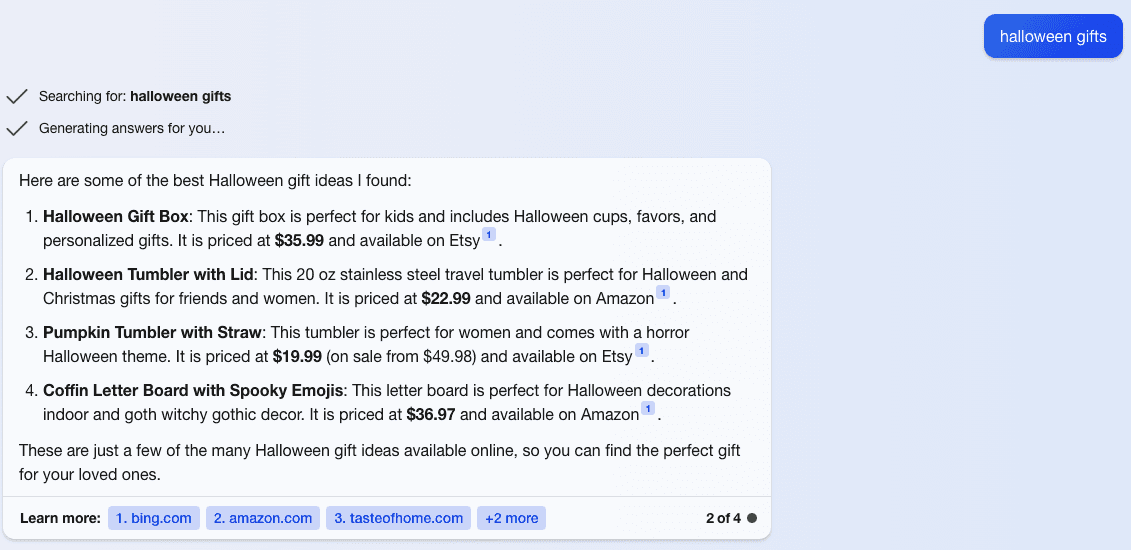
AI copilot for the web, surfacing shopping info across platforms.
Strength
- Images with product links
- Conversational, category-guided flow
Weakness
- Redirects out to other platforms to buy
- Not tied to a single store's catalog
Survey
Overall, there are 15 questions involved in the survey. I sent them out online and got 100 responses in total. Among those participants, 93% of them have a certain understanding of AI-driven features or Chatbots in online shopping platforms. Followings are sampled questions.
Sample Questions
User Needs
Leverage AI Chatbot to help with gift decision-making.
The average time they spend from the initial browsing for a gift to finalizing the order.
Would you be more likely to engage with an AI-driven Chatbot if it offered personalized product and gift suggestions?
- Yes 56%
- No preference 27%
- No 17%
Interaction Style
Enable free typing and predefined options, and chat in a friendly and conversational tone.
When seeking assistance from a chatbot, which approach do you prefer for asking questions?
- Typing out allows for specific details 20%
- Selecting from predefined options for convenience 21%
- Both methods are equally suitable 54%
- Other 5%
When interacting with a chatbot, what tone do you prefer?
Feature Design
Enable product image-based selection, customized gift message generation, and direct purchasing within the chatbot.
When interacting with an AI chatbot to assist in product selection, which interface placement do you prefer?
- Integrated in main page 65%
- A separate Page 35%
Which features and concepts tailored to gift selection in an AI chatbot do you find most appealing?
Define
Based on the survey insights, define the design principles, user expectations, and product features of the AI chatbot and create the product's user flow.
Chatbot Design Principles
01
User-Centric Personalization
Recipient Design
02
Efficient & Clear Interactions
Minimization
03
Error Handling & Flexibility
Repair
Core Product Functionalities
Explore products with AI Swipe
Product Discovery Through Interactive Swiping
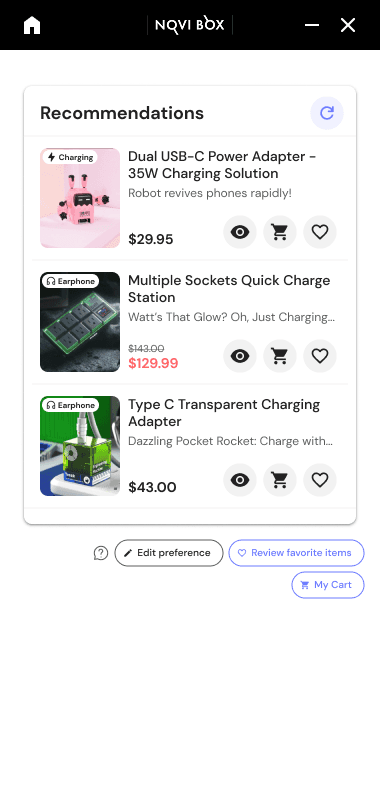
AI Gift Finder
Smart & Efficient Recommendations
Customer Service
Seamless Support System
Order Help
Hassle-Free Post‑Purchase Management
Design & Test
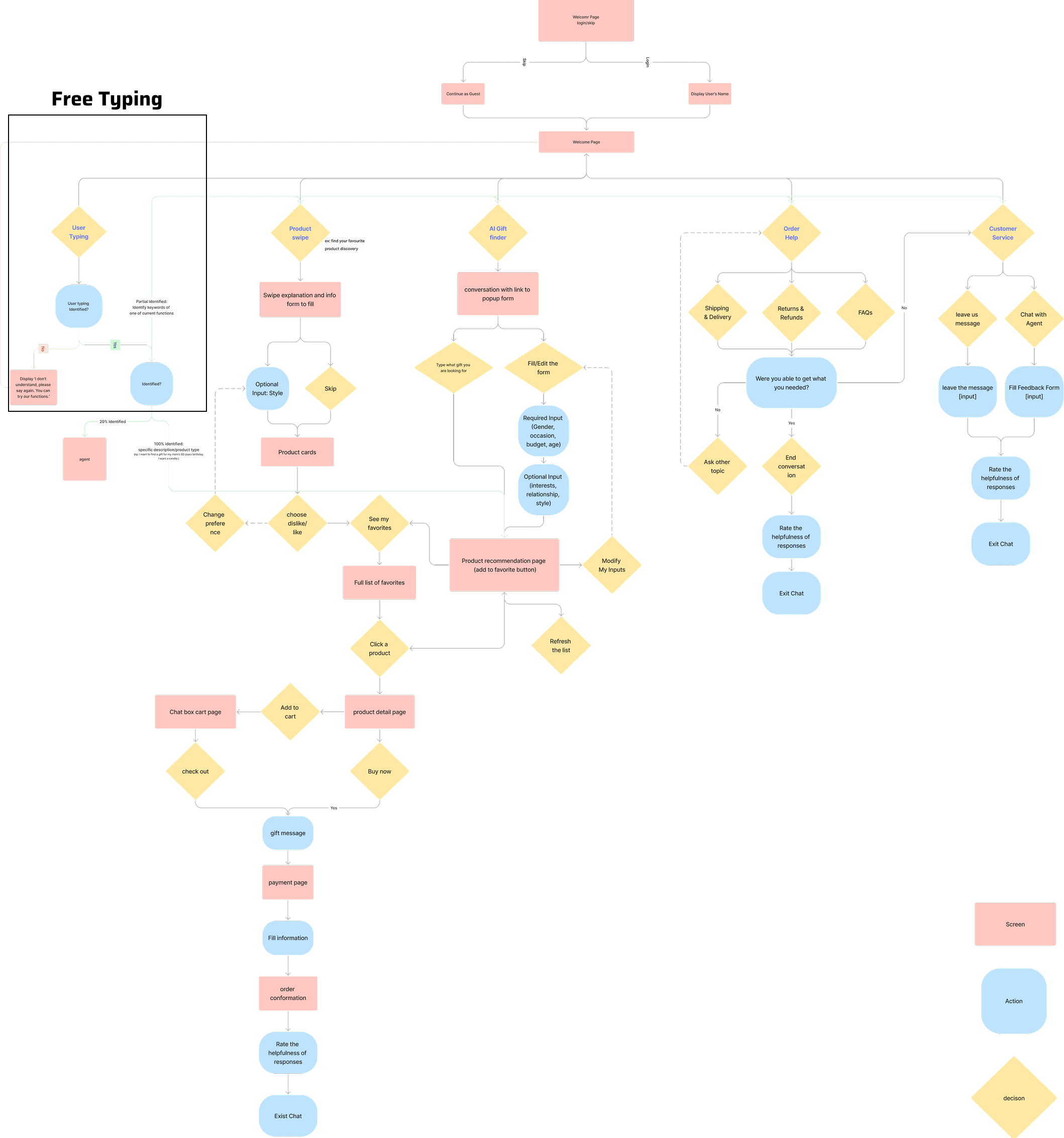
User flow, first version design, and key tests are shown to explain why we made the changes.
User Flow
First Version Prototype
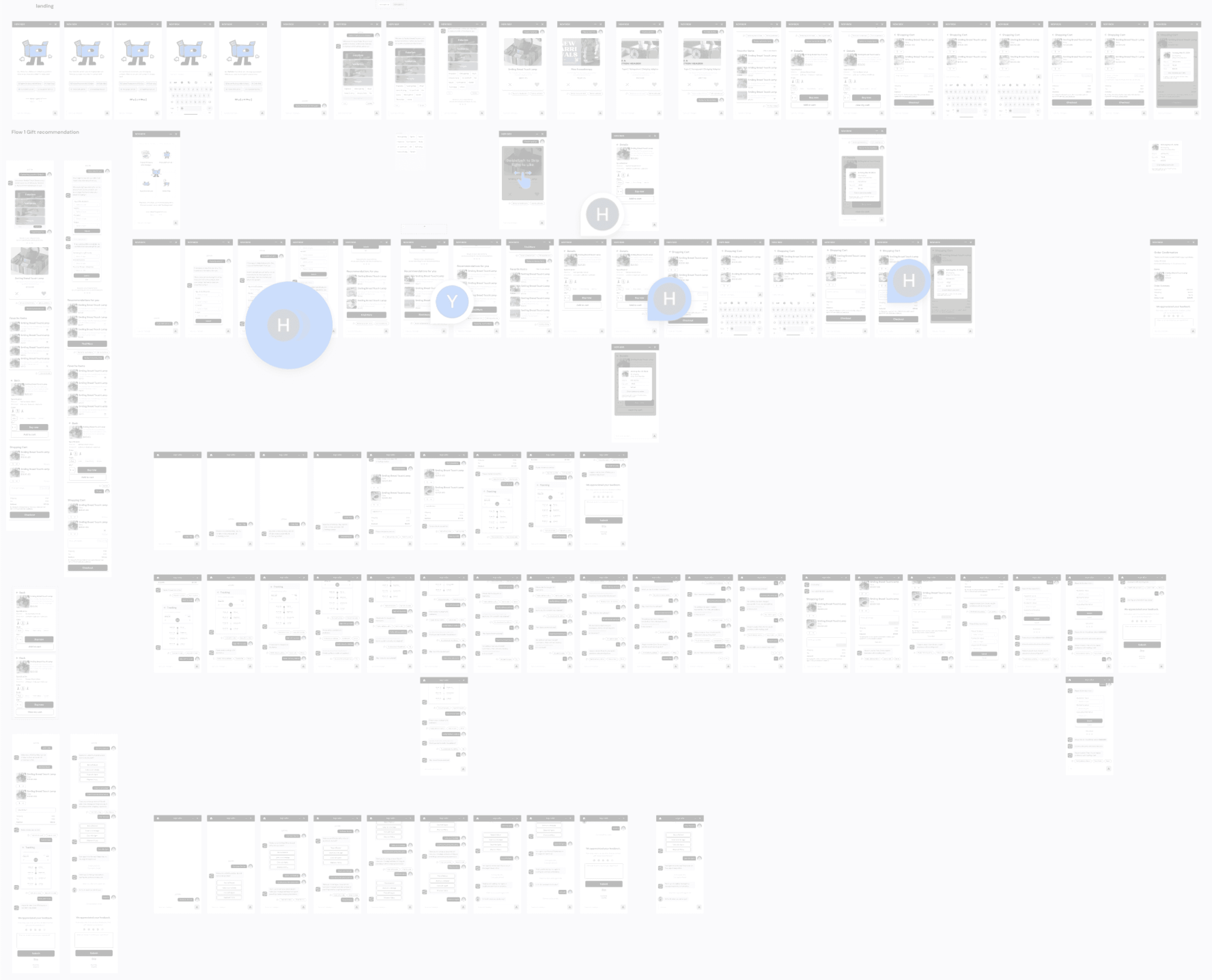
Test & Analysis
Completion Rate Path Analysis
User Experience Survey
Chatbot Flow
Landing Page A/B
Two landing layouts, tested head to head to pick the clearer way into the assistant.
A four-tile grid keeps every entry point in view, so clicks land right on the options.
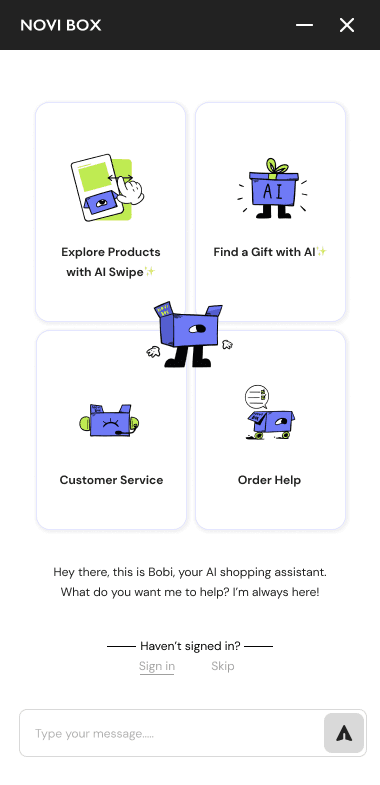 Layout
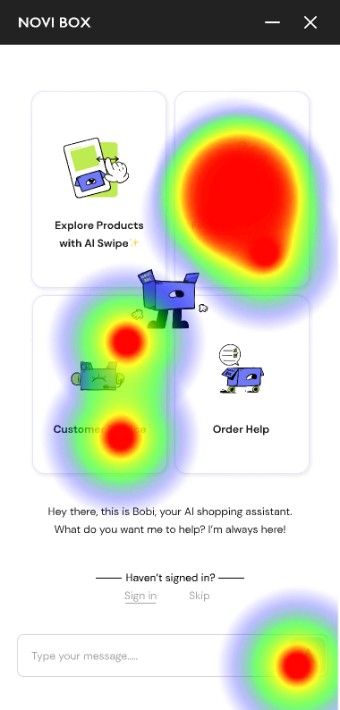 Clicks
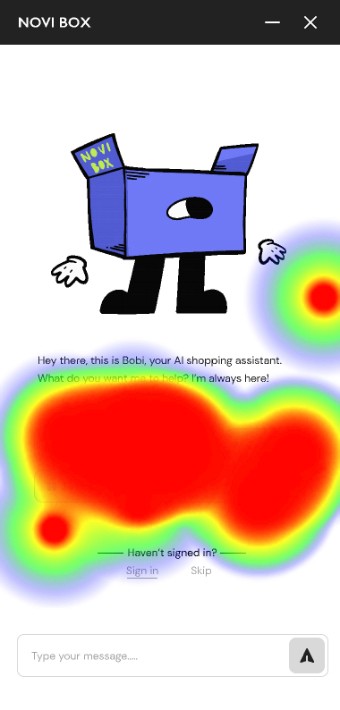
A single-column chat pushes the options below the fold; the heatmap shows clicks scattering to the bottom.
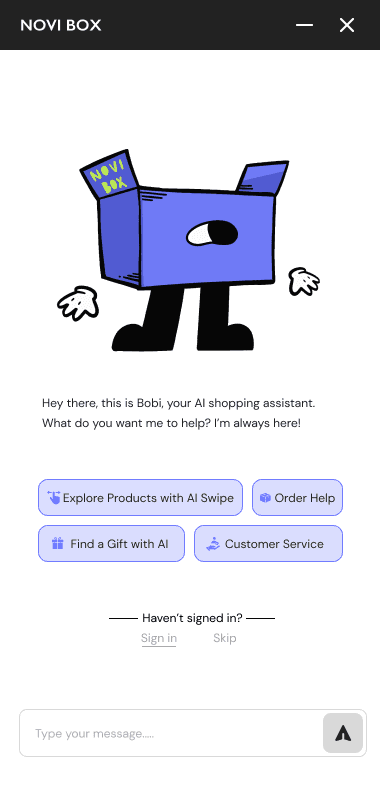 Layout
 Clicks
Version B's single-column chat pushed the four entry points below the fold, so users hesitated and misclicked before starting a task.
Explore Products with AI Swipe
Can people discover products by swiping through AI-curated cards?
How well did you understand the swiping actions?
Swiping left indicates Dislike, swiping right indicates Like
What action did you anticipate after swiping right on a product card?
Multiple choice
What other details would you like on the product cards?
Multiple choice
Users breeze through swiping but skip the favorites step and want richer card information.
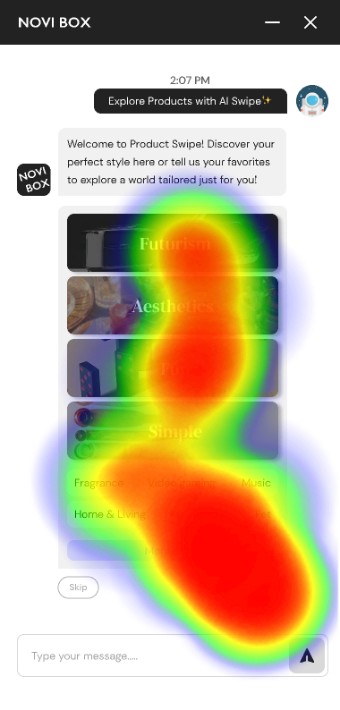
Users give only simple preferences up front.
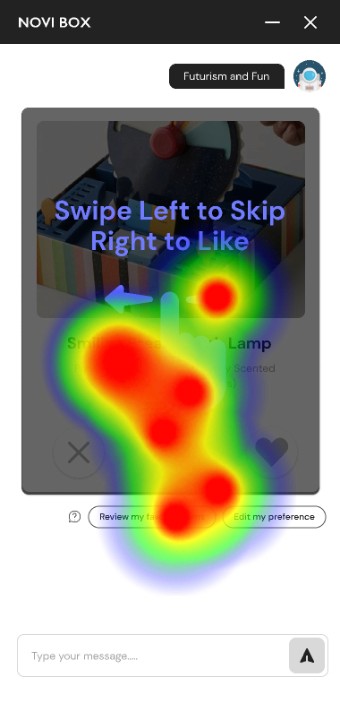
Users click the instruction screen, expecting it to advance.
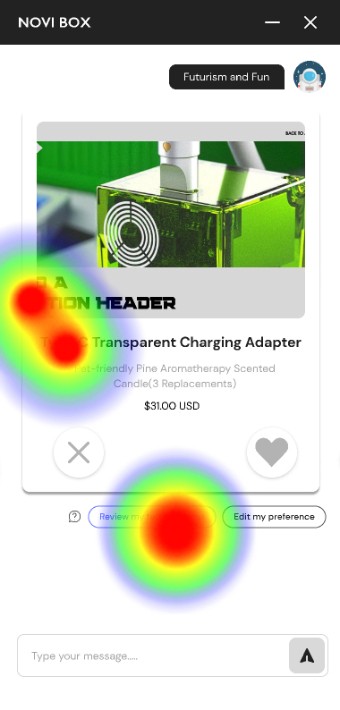
The "Review My Favorite List" prompt gets missed and needs prominence.
Interaction
Information display
Find a Gift with AI
Can the chatbot capture intent and recommend a fitting gift?
How would you rate the effectiveness of the gift-finding process?
Input → Browse → Find more / Favorite → Cart
How well did the product-card visuals help you decide on a fit?
Image, title, description, price
Did you find the ♥ Favorite button helpful for saving gift ideas for later?
Yes, because if you are going through the gifts, you may forget where the previous gift was. Favoriting multiple and reviewing them later is a good feature.
Yes, it helped to select a few products I want to look at later and finalize the item I need.
It is a good idea rather than adding to cart and deleting later. I like the feature a lot.
Users want to see full product details before committing a gift to their favorites.
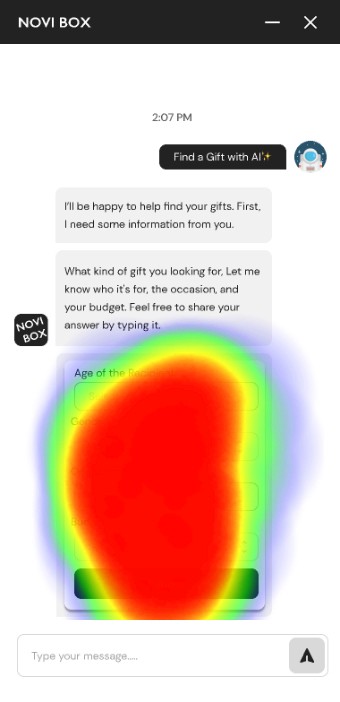
Users give detailed gift preferences.
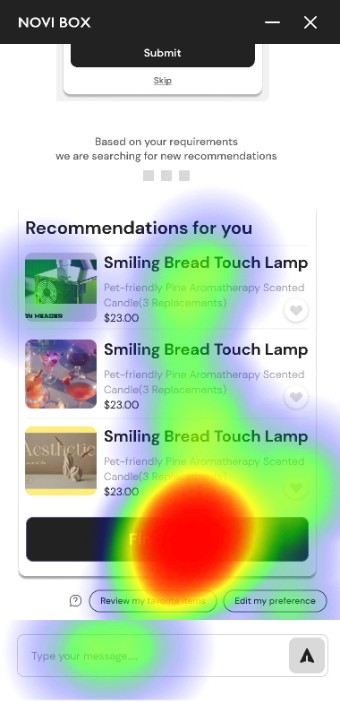
Users easily find the refresh button.
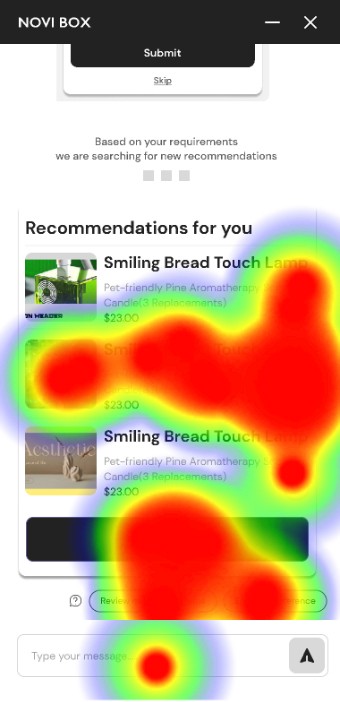
Users want to browse product details before deciding.
Add to Cart / Checkout
Can users complete a purchase from inside the chat?
Users cannot buy without first opening product details, and the "View Details" button is nearly invisible.
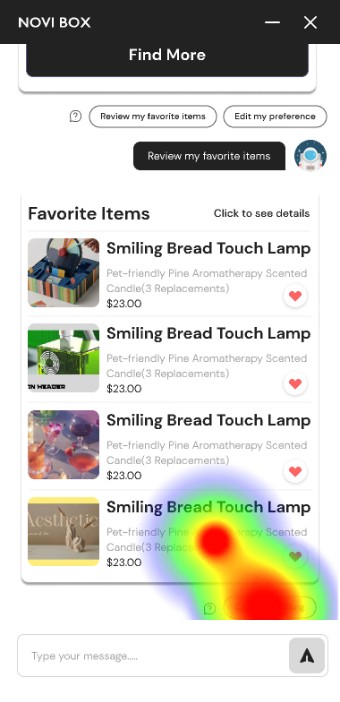 Cart list
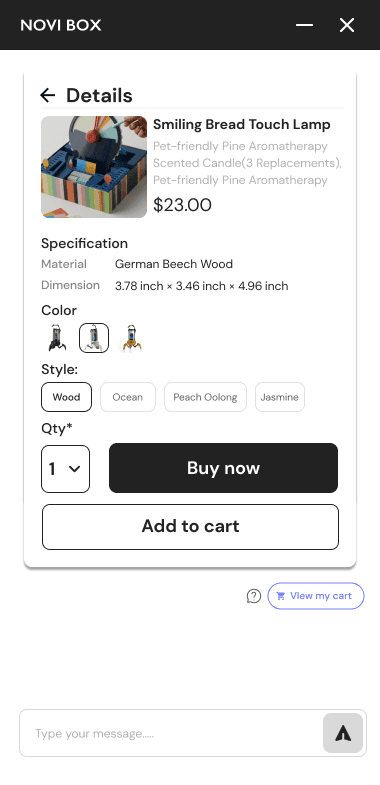 Product detail
AI-Generated Gift Message
Can users generate and attach an AI-written gift message?
Heatmaps show users moving cleanly through generate, edit, and attach with no friction points.
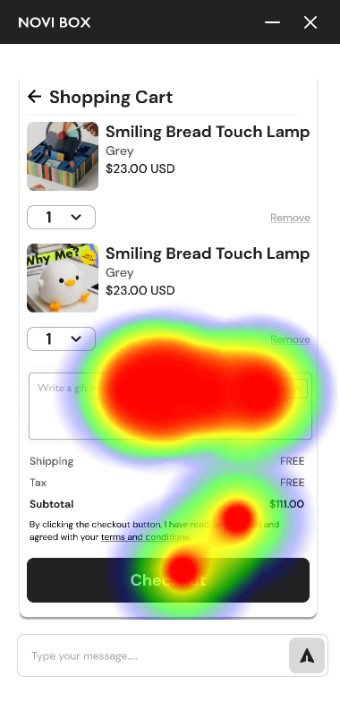
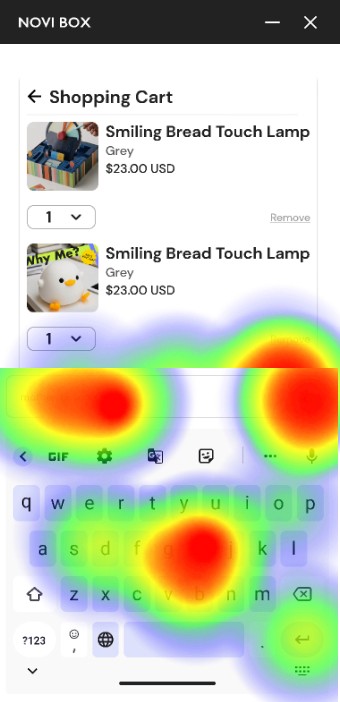
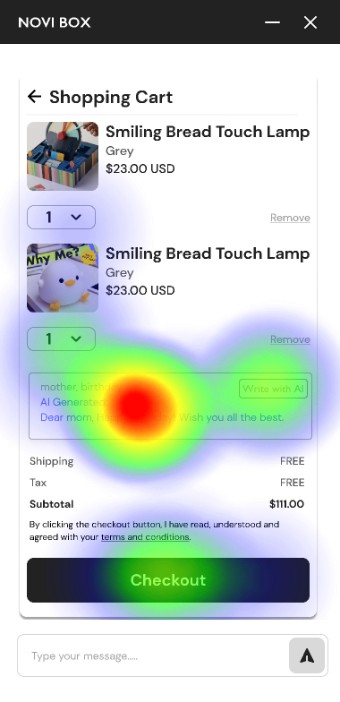
No change needed. The flow ships as tested.
Overall Feedback
What did you like most about our AI chatbot interaction?
How was the overall experience of using the Chatbot?
Survey Insight
Users are generally satisfied with the chatbot but suggest improvements in the following areas:
Product Information Display
Surface richer product details on cards and before checkout.
Key Button Design
Make primary actions like Buy and View Details clearly visible.
Overall Process Guidance
Guide users through each step with clearer prompts.
Final Showcase
A few key screens from the shipped hi-fi prototype.